How to upgrade the firmware of old version CB86-PLUS using by WIN10 computer?
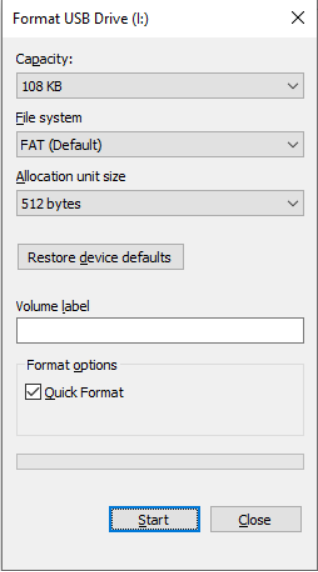
1. Connect CB86-PLUS to the computer with a USB cable. And then power on CB86-PLUS. There will be a USB Drive in the computer. Click This PC -- right click the USB Drive -- formatting it. Click Quick Format and then Start.

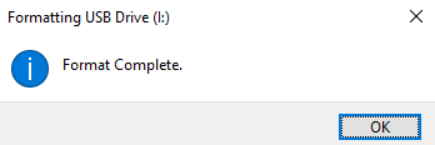
2. Click OK to confirm Format Complete.

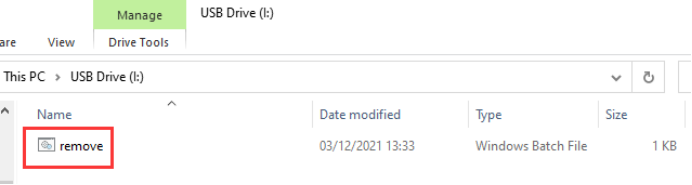
3. Copy remove.bat file and then paste it into the USB Drive of CB86-PLUS. Then double-click remove.bat file.
Click the link below to download the remove.bat file.
http://www.radiolink.com.cn/firmware/charger/remove.zip

4. After double-clicking on the remove.bat, right-click the USB Drive of CB86-PLUS, and then click Properties to check if the Used space is 0.
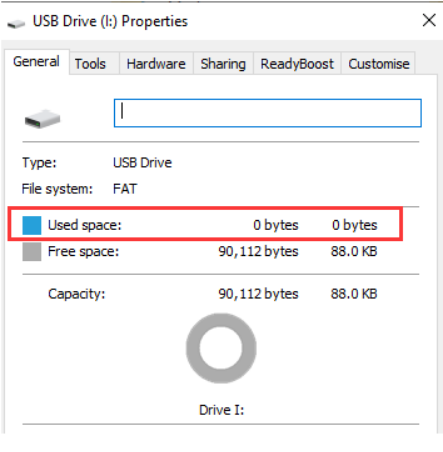

5. If the Used space of the USB Drive is 0, copy the newest firmware and paste it into the USB Drive.
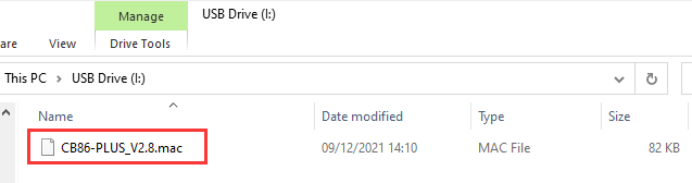

Click the website below to download the firmware of CB86-PLUS:
https://www.radiolink.com.cn/cb86plus_firmware
6. Unplug the USB cable, and the firmware upgrade is done.